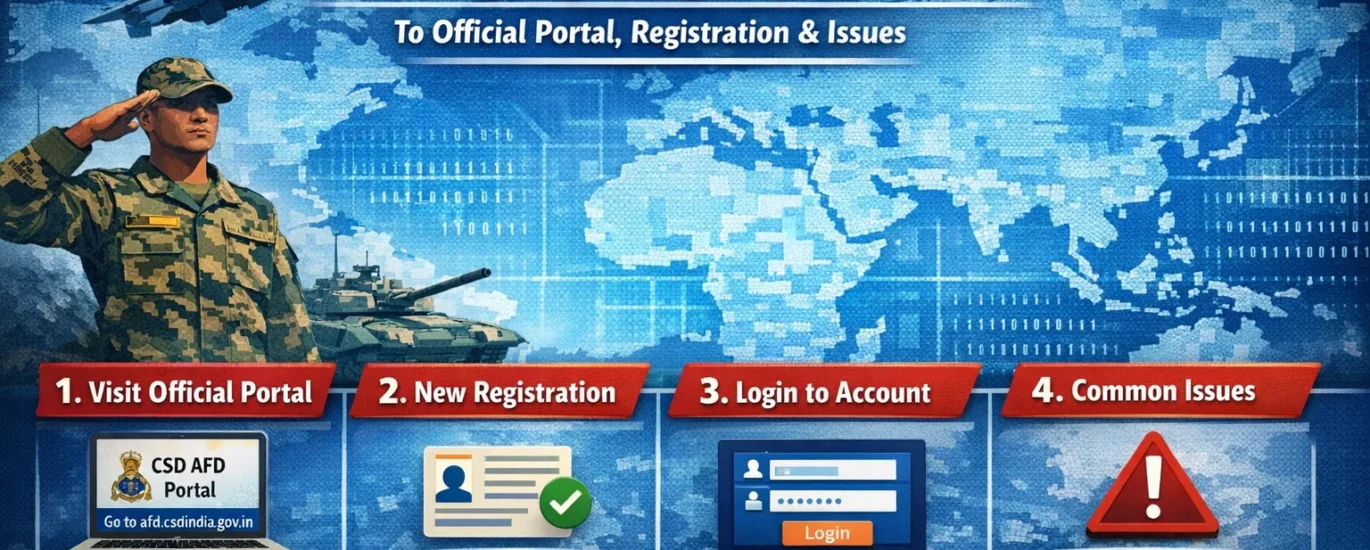
Introduction: Understanding AFD CSD and Its Importance in 2026
The AFD CSD login portal is a critical online platform for India’s Armed Forces personnel and their families. AFD, which stands for Against Firm Demand, operates under the Canteen Stores Department (CSD) and allows eligible users to purchase high-value items at subsidized rates. These benefits are an important welfare measure provided by the Ministry of Defence.
Through the CSD AFD portal login, users can apply for items such as cars, two-wheelers, and consumer electronics without visiting multiple offices. Over the years, the system has shifted almost entirely online, and in 2026, the portal has been further strengthened with improved security checks, better document verification, and a streamlined approval process.
For serving personnel, veterans, and widows, the portal ensures transparency and eliminates dependence on intermediaries. However, due to high demand and lack of awareness, many users still face difficulties related to AFD CSD login, registration delays, or fake websites claiming to offer AFD services.
It is essential to understand that only one website is officially authorized for AFD transactions:
🔗 Official AFD CSD Portal: https://afd.csdindia.gov.in
Any other website or agent promising faster approvals should be avoided. This guide is written specifically for defense personnel and their families to help them safely complete CSD AFD registration, log in without errors, and resolve common problems in 2026.
Table of Contents
What is AFD in CSD? Eligibility and Benefits
AFD (Against Firm Demand) is a controlled purchase system under CSD for selected high-value items. Unlike daily-use grocery items available at URCs, AFD items require prior online approval.
Who is Eligible for AFD CSD? ✅
Eligibility is strictly governed by CSD rules. The following categories are generally eligible:
- Serving Commissioned Officers
- Serving JCOs and Other Ranks (OR)
- Retired Armed Forces Personnel
- Widows of eligible defense personnel
- Authorized dependents (as per service records)
Eligibility may vary based on rank, service status, and the type of item being purchased.
Items Available Under AFD CSD
Common AFD items available through the AFD CSD portal login include:
- Cars (select approved manufacturers) 🚗
- Two-wheelers (motorcycles and scooters)
- LED and Smart TVs
- Refrigerators and Deep Freezers
- Air Conditioners
- Washing Machines and other notified appliances
Item lists and brand availability are updated periodically. Users should always verify current eligibility after logging in.
Official AFD CSD Portal Overview (2026 Updated)
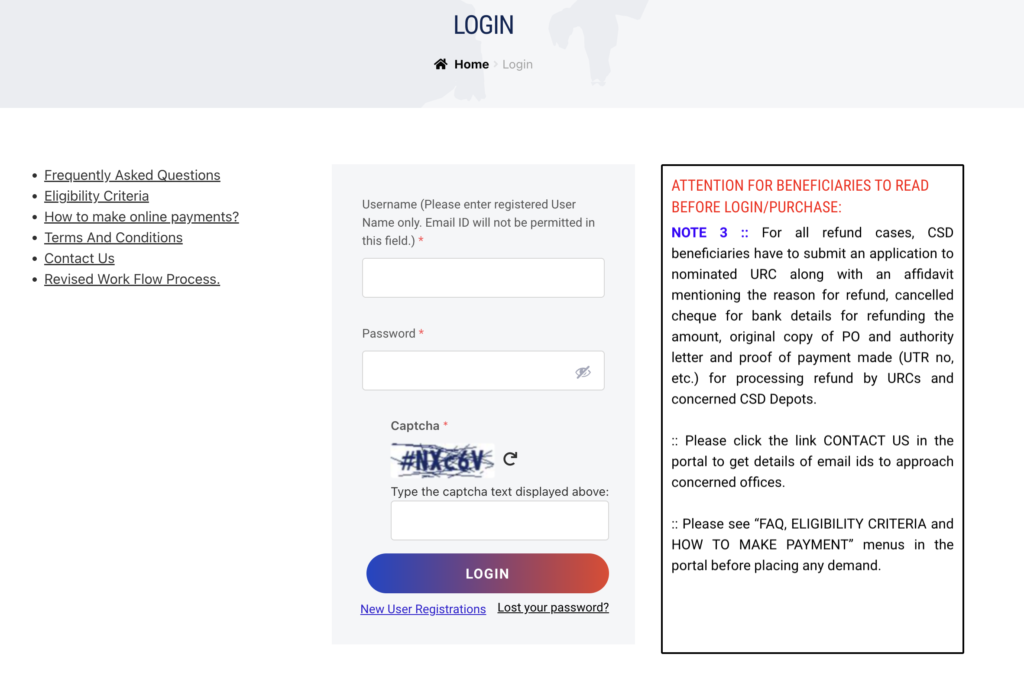
The official AFD CSD portal is maintained by the Canteen Stores Department under the Ministry of Defence. It serves as the single point of access for all AFD-related activities.
Key Features of the AFD CSD Portal
- Secure login with captcha and OTP verification
- Online registration and document upload
- Real-time item availability status
- Dealer selection and firm demand generation
- Transparent tracking of approval stages
🔗 AFD Portal: https://afd.csdindia.gov.in
🔗 CSD Main Website: https://www.csdindia.gov.in
Why the Official Portal Matters
Using the official portal ensures:
- Protection against fraud and fake bookings
- Accurate application of subsidies
- Faster verification through service data linkage
- Clear audit trail for every transaction
No private agents or third-party websites are authorized for AFD bookings.
How to Register on the CSD AFD Portal
Before using the AFD CSD login, new users must complete a one-time registration process.
Documents Required for Registration
Keep the following documents ready:
- PAN Card
- Aadhaar Card
- Service Number / Personal Number
- CSD Grocery Card details
- Active mobile number and email ID
Step-by-Step AFD CSD Registration Process
- Visit https://afd.csdindia.gov.in
- Click on “Register” on the homepage
- Select your category (Serving / Retired / Widow)
- Enter service-related details carefully
- Upload required documents in the specified format
- Verify your mobile number using OTP
- Submit the registration form
📌 After submission, the application goes for verification. Approval timelines depend on the concerned authority and data accuracy.
Suggested image alt text: “AFD CSD registration page screenshot 2026”
AFD CSD Login Process: Step-by-Step Guide
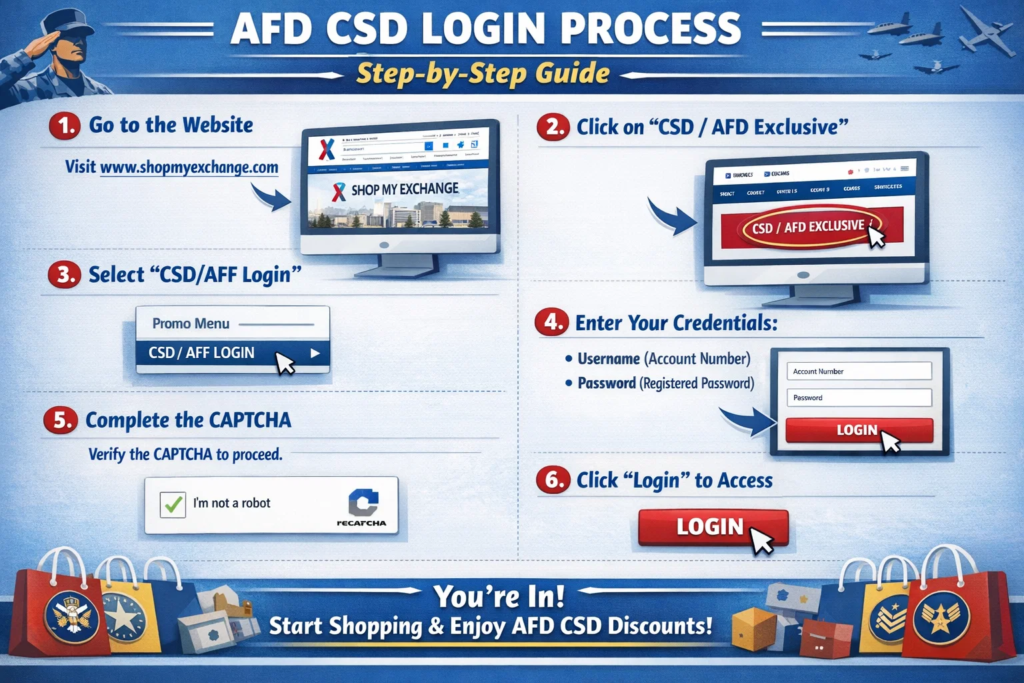
Once your registration is approved, you can access the portal using your credentials.
How to Login to AFD CSD Portal
- Open https://afd.csdindia.gov.in
- Click on “Login”
- Enter your registered username
- Enter your password
- Fill in the captcha code correctly
- Click Submit
On successful login, you will reach your personal dashboard.
Mobile Login Tip:
Use an updated browser such as Chrome or Edge. Avoid logging in during peak hours if the site appears slow.
Suggested image alt text: “AFD CSD login page screenshot 2026”
Common AFD CSD Login Problems and Solutions
Many users face similar issues during login. The table below explains common problems and their solutions:
| Problem | Possible Cause | Recommended Solution |
|---|---|---|
| Forgot password | Password not remembered | Use “Forgot Password” option |
| Invalid credentials | Typing error or CAPS lock | Recheck details carefully |
| Captcha not accepted | Page timeout | Refresh and retry |
| Website not loading | High server traffic | Try again during non-peak hours |
| Approval pending | Verification delay | Contact your Unit/URC |
| OTP not received | Network issue | Retry after some time |
How to Reset Forgotten Password on AFD CSD Portal
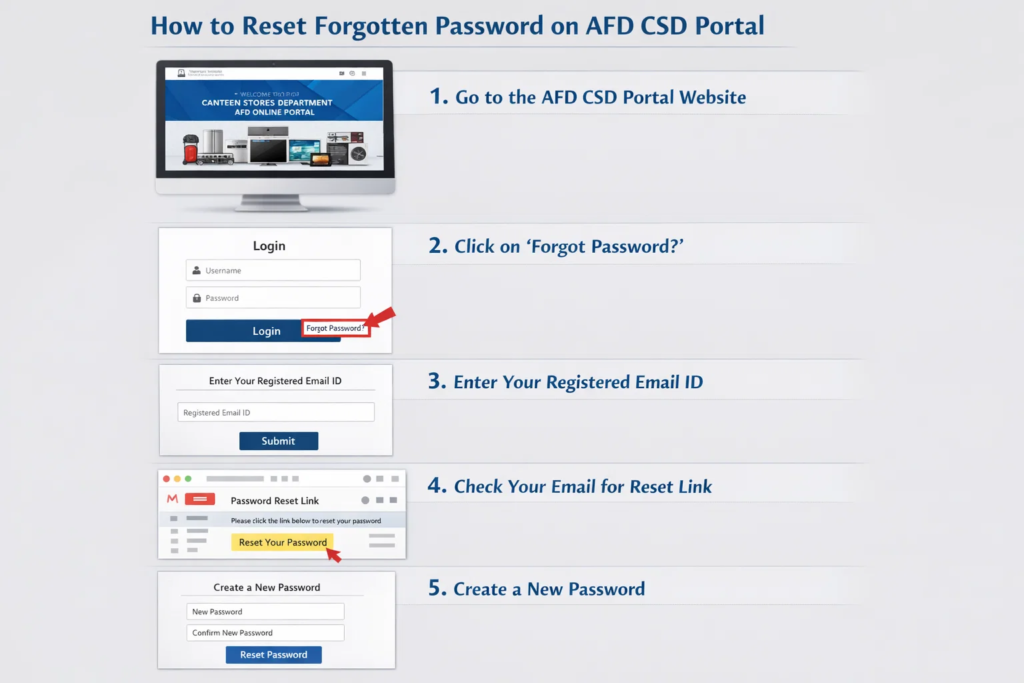
If you are unable to log in due to a forgotten password, follow these steps:
- Go to the AFD CSD login page
- Click on “Forgot Password”
- Enter your registered mobile number or username
- Verify the OTP received
- Create a new strong password
- Log in again using updated credentials
Password Tip:
Use a combination of uppercase letters, lowercase letters, numbers, and symbols for better security.
What to Do After Login: Booking Cars, Bikes, and Other Items
After a successful CSD AFD portal login, users can proceed with item booking.
Basic Booking Flow
- Check eligible items on the dashboard
- Select category, brand, and model
- Choose the authorized dealer
- Upload supporting documents
- Submit firm demand request
- Track approval status online
Payment and final delivery are completed through the allotted dealer after approval.
Frequently Asked Questions (FAQs)
Q1. What is the official AFD CSD login link?
The official link is https://afd.csdindia.gov.in.
Q2. Is AFD CSD registration mandatory?
Yes, registration and approval are required before login.
Q3. Can civilians use the AFD portal?
No. Only eligible defense personnel and dependents can use it.
Q4. Is there any registration or login fee?
No. The process is completely free.
Q5. How to fix login errors in 2026?
Recheck credentials, refresh captcha, or try later during off-peak hours.
Q6. Are agents allowed for AFD booking?
No. CSD does not authorize agents or middlemen.
Conclusion: Safe and Reliable AFD CSD Login in 2026
The AFD CSD portal plays a vital role in delivering welfare benefits to India’s defense community. By following this 2026 updated guide, users can complete registration, perform AFD CSD login, and resolve common issues confidently and securely.
Always rely on the official portal and avoid third-party websites or promises of quick approvals. For best results, keep your documents updated and check the portal regularly for policy or item list changes.